Sync that runs on its own
Log in once and sync starts with your computer, keeps itself up to date, and runs in
the background. Run skillpouch to
open the terminal UI with your pouches, computers and token usage.
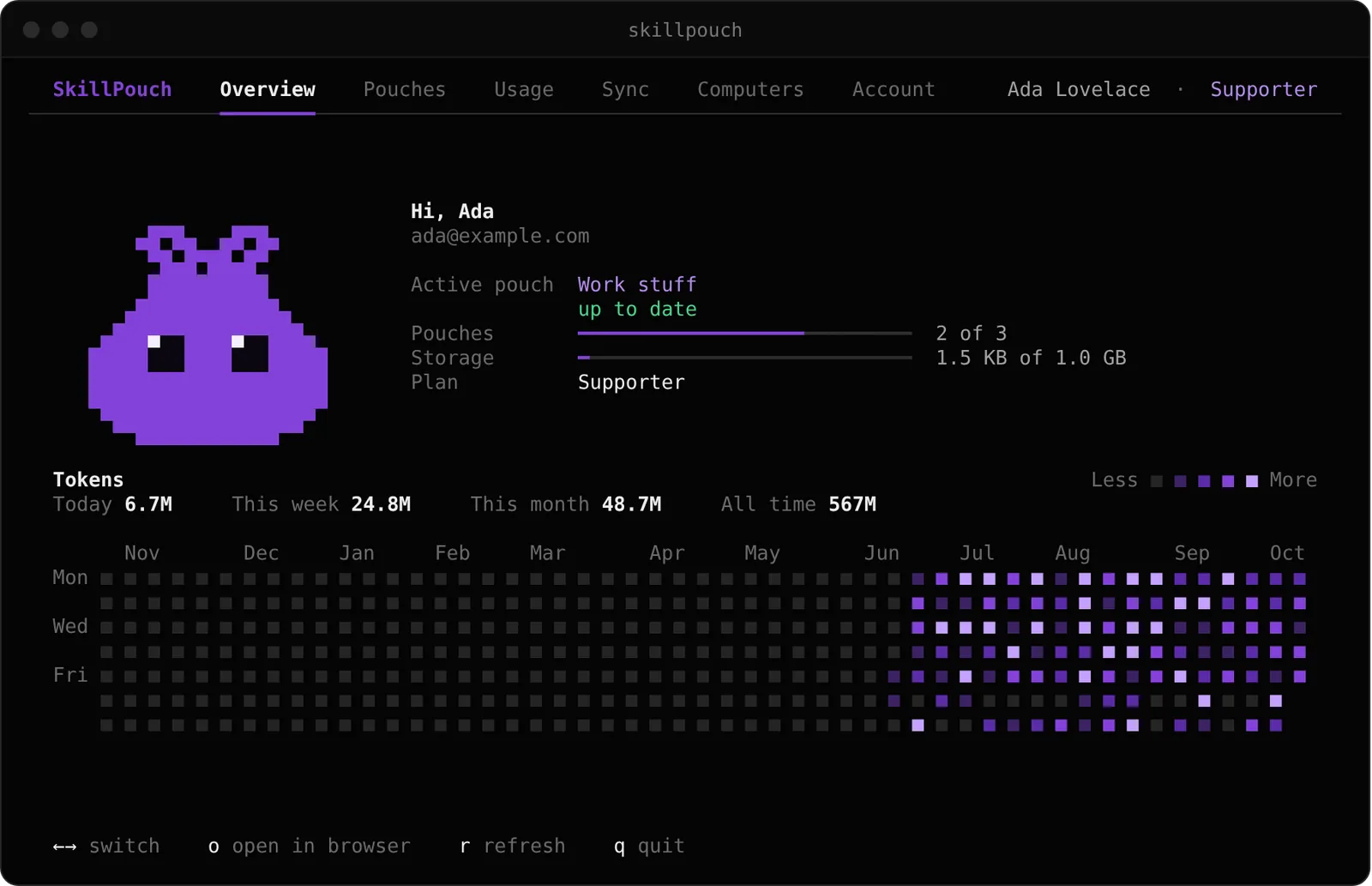

Skills, agents, MCP servers and instructions sync across Claude Code, Codex, Cursor and more. End-to-end encrypted.
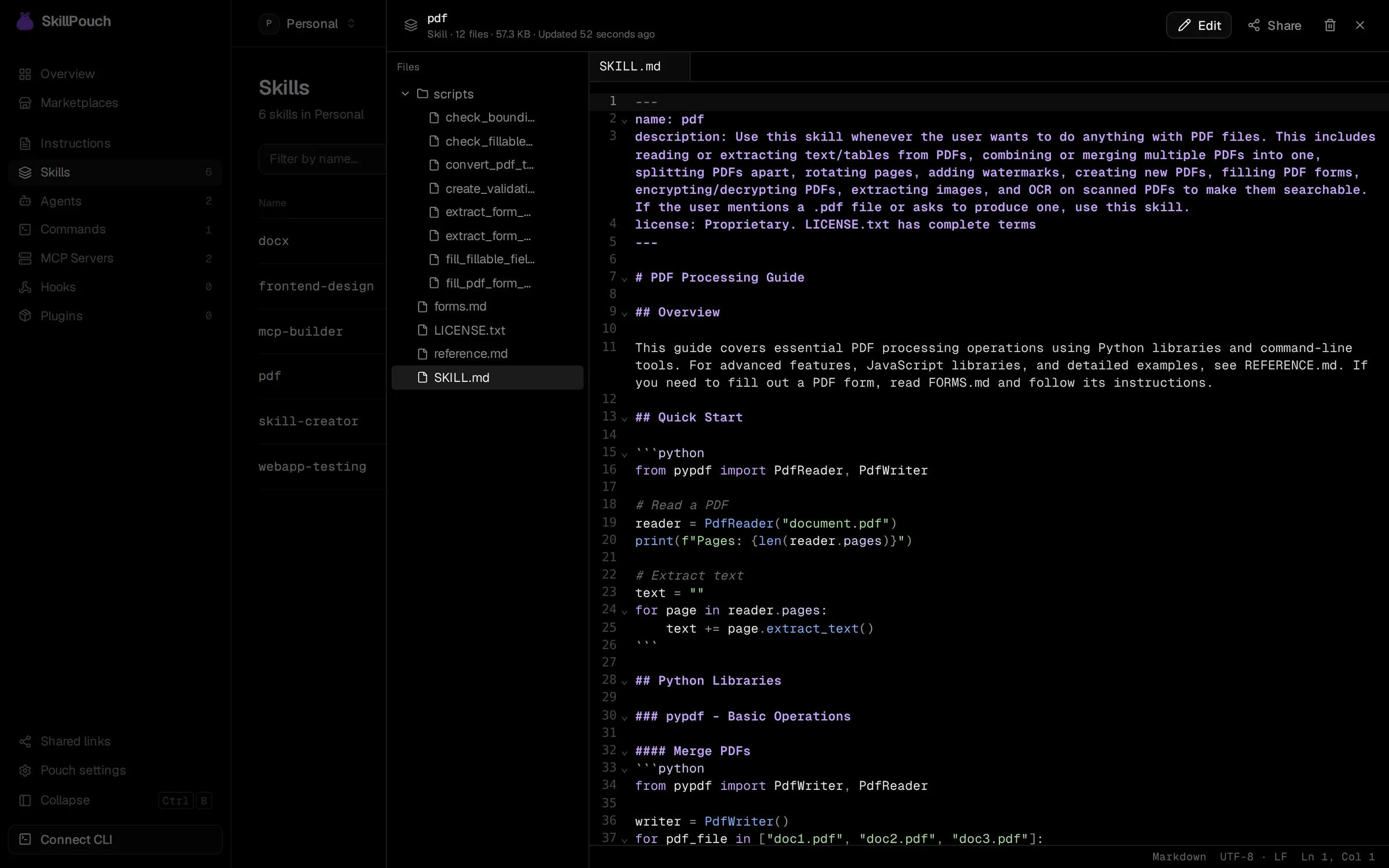
Browse every file of every skill, edit with syntax highlighting, or share one with a link. Saved changes reach your computers in the background.
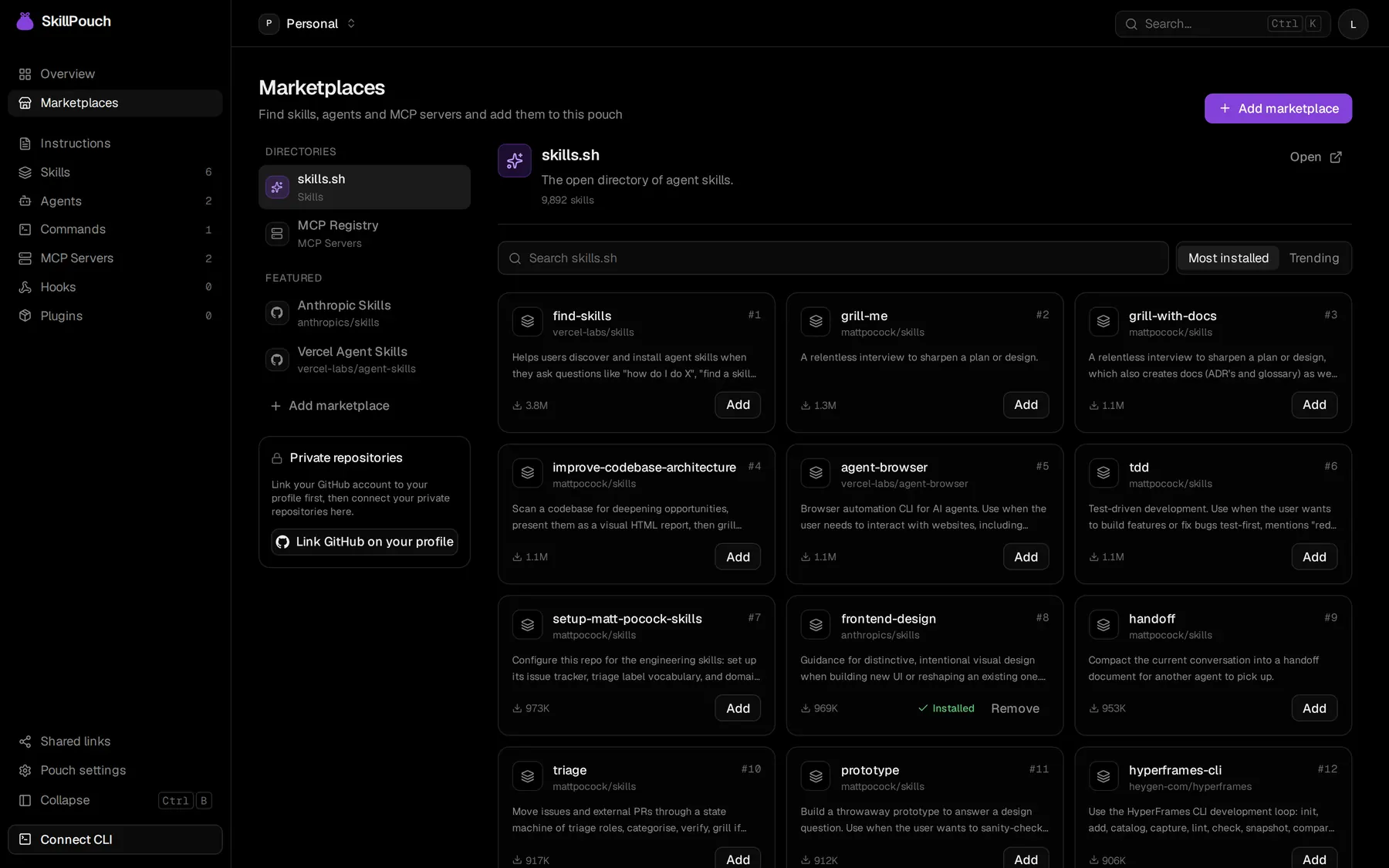
Add items in the web app or let the CLI pick up what is already on your computer. SkillPouch writes each one where every assistant you turn on expects it, in the format it reads.

Your pouch
Log in once and sync starts with your computer, keeps itself up to date, and runs in
the background. Run skillpouch to
open the terminal UI with your pouches, computers and token usage.
Files and item names are encrypted on your computer or in your browser. The server never sees your master password or Recovery Key.
name: code-reviewer
description: Reviews a diff
  for bugs and missing tests.
tools: Read, Grep, Glob
Install the CLI, log in, and approve the computer in your browser.
$
Add skills and MCP servers from skills.sh, the official MCP Registry and GitHub repositories, private ones included.
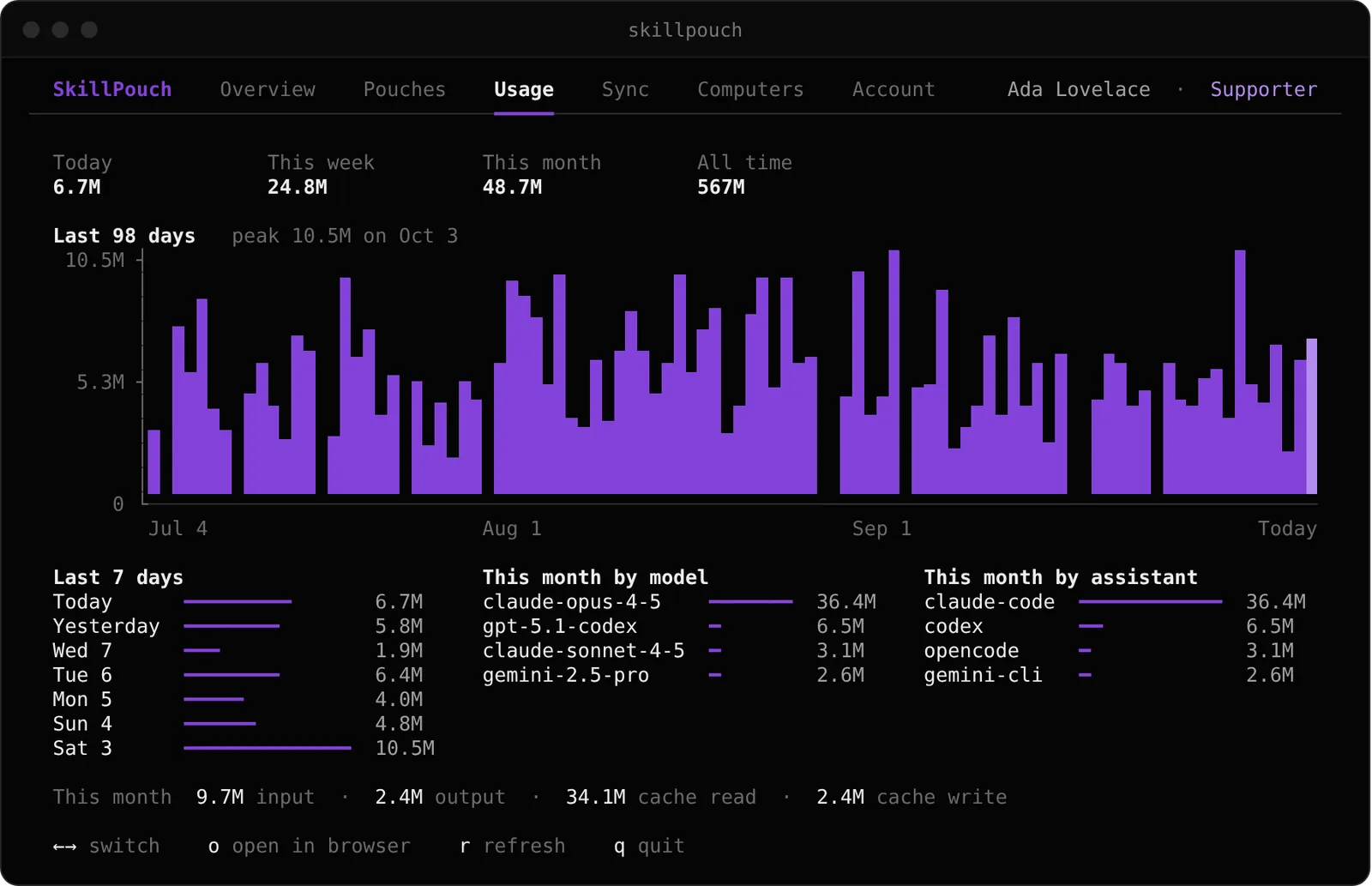
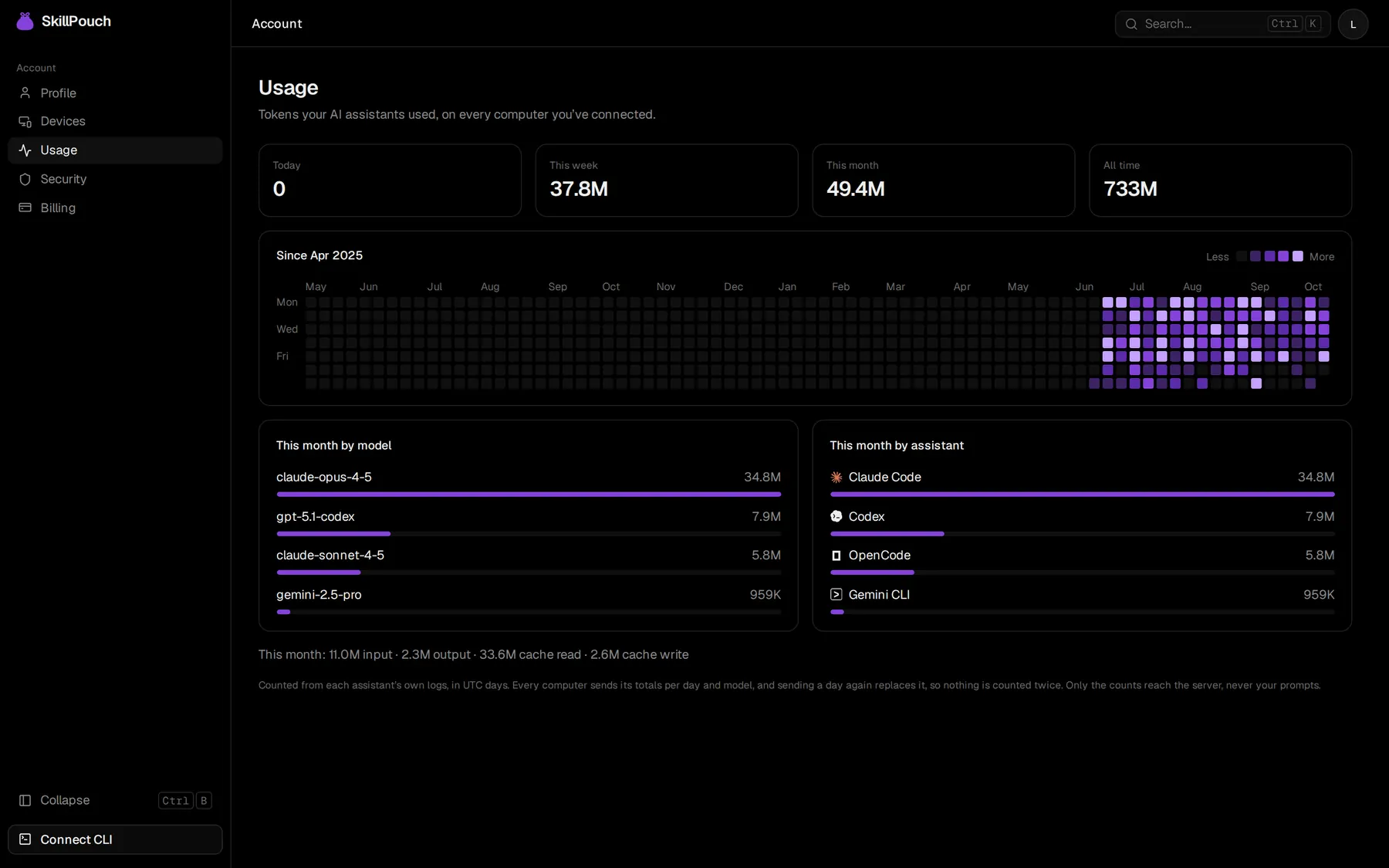
Tokens per day, model and assistant, added up across your computers without counting anything twice. Only the counts leave your computer.
Keep work and personal setups apart. Each computer uses one pouch at a time.
Send a skill or an agent to anyone with a link they can open in a browser.
When two computers change the same file, you pick the version to keep.
The CLI sends a desktop notification when something needs your attention.
See which computers and browsers can open your pouches, and remove any of them.
AGPL licensed. Read the code, or run SkillPouch on your own server.
Every plan has every feature. Pay for more pouches and storage, and to keep SkillPouch running.
Anything else? Write to info@skillpouch.net.
Claude Code, Codex, OpenCode, Gemini CLI, Copilot CLI, Cursor, Windsurf, Qwen Code, Factory Droid, Crush. SkillPouch writes each item in the format and folder that assistant expects, so one MCP server or one set of instructions works in all of them.
No. Files and item names are encrypted on your computer or in your browser before they are uploaded. The server stores ciphertext and never sees your master password or your Recovery Key.
Use your Recovery Key, or open SkillPouch on a computer or browser you already trust. If you lose all of them, nobody can recover your data, including us. That is the price of end-to-end encryption.
SkillPouch marks a conflict instead of guessing, and you pick the version to keep in the web app. The other computers follow your choice.
No. The CLI reads token counts from each assistant’s own logs and sends only the totals per day and model. Your prompts and replies never leave your computer.
Yes. SkillPouch is open source under the AGPL and can be self-hosted. The CLI and the web app work the same against your own server.

Sign in with GitHub or Google, then connect your computers from the terminal.